A simple PDF. No ads. No big budget. Here is the exact plan, step by step.
Can a plain PDF make real money when you don’t pay for ads?
Yes. But most people who try it get nothing. They make a PDF, put it online, and wait. Nobody comes.
This post shows you how to sell a PDF on Gumroad using free traffic from Medium. You will see how to find a topic, build the PDF with AI, write the sales page, and send readers to your store without spending a dollar on ads.

Here is the part that surprised me. The PDF is not the hard part. AI can help you make one in an afternoon. The hard part is getting people to see it. Most beginners spend all their time on the product and no time on the traffic.
Here is what you will learn:
- The two things every Gumroad business needs
- How to find a PDF topic people already want
- How to write and design it with AI
- How to pick a Medium niche using the “clap check”
- How to post so Medium actually shows your work to readers
Read to the end, because the mistake that kills most beginners is in the middle of this post. And it has nothing to do with your PDF.
Why Most PDF Businesses Don’t Make Money
Let me start with what doesn’t work.
Most people hear “sell a PDF online” and think it is easy. Make a file, upload it, get paid. So they grab a random topic, write something quickly, and post a link on social media.
Then nothing happens. A week goes by. Two weeks. Zero sales.
I want to name the three mistakes behind this, because I see them all the time.
Mistake 1: A boring product
Your PDF is your product, and it has to stand out. Think about someone scrolling on their phone. They are not looking to buy anything. Your PDF has to make them stop and say, “I need that.”
A PDF called “Money Tips” will not do that. A PDF that promises a clear result, for a clear person, will.
Mistake 2: No traffic
You can have the best product in the world. If nobody knows it exists, nobody buys it.
This is the biggest problem. People spend two weeks on the PDF and ten minutes thinking about who will see it. It should be the other way around, or at least closer to equal.
So that’s the struggle. A weak product and no traffic. The next section fixes all three.
The Turning Point: The Two-Part System
Part one is the PDF. Part two is the traffic. Let’s do them in order.
Part One: Build Your PDF With AI
You don’t need to be a writer or a designer. You need a good process. I use five steps.
Step 1: Find ideas people already want
Pick a niche first. A niche is just a topic, like saving money, fitness, or cooking.
Now open ChatGPT and turn on the “deep research” feature. This lets the AI spend real time searching websites and forums, instead of giving you a quick guess.
Ask it to look through places like Reddit and find what people in your niche keep asking about. For example, if you pick saving money, you can ask it to search money subreddits and list the most common questions.
In about a minute, it can give you a list of 20 or so ebook ideas, like “basic saving habits for beginners.” Read through them. Look for the ideas where people sound stuck and want help. That’s your product.
Step 2: Write the outline
An outline is the list of chapters. Here is what to ask the AI:
“Make an outline for an ebook that takes a complete beginner from knowing nothing about this topic to getting [the result].”
That one sentence matters. A good ebook is a path. The reader starts at one place and ends at another. Your outline is the map.
Step 3: Write the chapters one at a time
This is where many people mess up. They tell the AI, “Write the whole ebook,” and the answer comes out rushed and thin.
Do it slowly instead. Ask for chapter one. Read it. Fix it. Then ask for chapter two. Use deep research again when a chapter needs facts or examples.
It takes longer, but the quality is much better. Also add your own stories and opinions. Readers can tell when everything sounds the same.
Step 4: Design the cover
Here is something many people don’t know: ChatGPT can help with design.
Give it a prompt that makes it act like a graphic designer. It will ask you questions like:
- What is the title?
- What is the subtitle?
- Who is it for?
- What colors do you like?
Answer them, and it will create a cover for you. Take your time on this step. The cover is the first thing a buyer sees.
Step 5: Write the sales page
Your sales page is the short page that convinces someone to buy. You can write it with ChatGPT or with Claude.
Keep it simple. Say who the PDF is for, what problem it solves, what is inside, and what the reader will be able to do after reading it.
Your product is done. Now for the part that decides whether you make money.
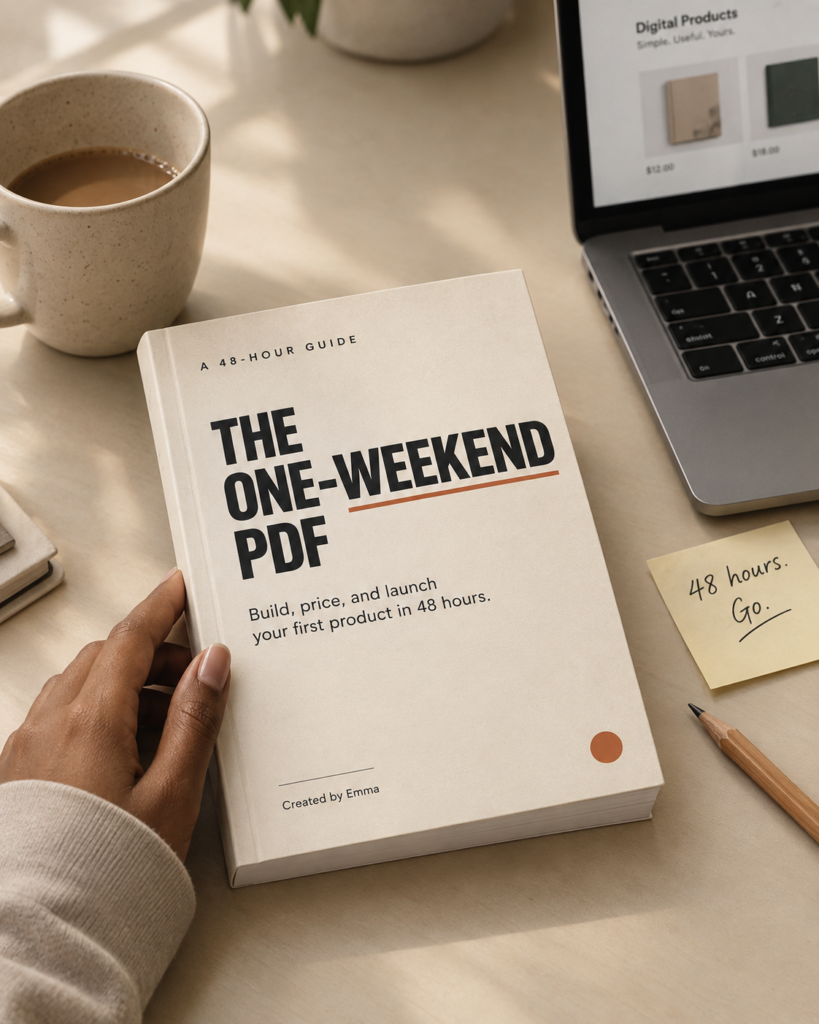
How about we make this a challenge? You make your first pdf in one weekend.
Part Two: Get Free Traffic From Medium
Medium is a writing site where people go to read. That is why it works so well. Readers there are already in “reading mode,” so they are happy to click a link to learn more.
Step 1: Do the clap check
Don’t guess your niche. Test it. I call this the clap check.
- Go to Medium.com.
- Search for your topic, like “saving money.”
- Look at the stories that come up and count the claps.
- Find out how many stories have more than 200 claps.
If you can find about 20 stories with 200+ claps in your niche, that niche is good. It means readers care about the topic and are reading and clapping.
If you only find a few, try a different topic. It’s better to learn this now than after writing ten articles that nobody reads.
Step 2: Set up your profile
Use your real name and a real photo. Medium is a personal platform. People like reading advice from a person, not a business.
Write a short bio that says who you help and how.
Step 3: Post quality articles, about three a week
You’ve probably heard “post every day.” On Medium, that’s not the best advice.
Medium makes money from paid members. So Medium wants to show its members strong articles that teach them something. If you post weak articles just to stay consistent, you hurt yourself.
A good plan is three good articles a week. Each one should leave the reader with something useful they didn’t know before.
Step 4: Make the articles relevant to your PDF
Your articles should teach real things, for free. Then, near the end, mention that you made a full guide for people who want the complete plan, and link to your Gumroad page.
Don’t make every article an ad. Teach first. The people who find your help useful will click.
How fast can this grow?
Results are different for everyone, so don’t expect the same numbers as anyone else. Some writers grow quickly when they choose a niche people care about and post useful work. Others take months. I recently restarted a medium page that made a sale in 12 days of starting.
Medium is also not only for PDFs. Once you have readers, you can add affiliate links, consulting, or other digital products later.
What This Means for You
Let’s pull it together.
You need only two things to start a PDF business:
- A PDF people want. Find the topic with deep research, outline it, write it chapter by chapter, and design a clean cover.
- Traffic you don’t pay for. Use the clap check to choose a niche, build a personal profile on Medium, and post about three good articles a week.
The big lesson is simple. A good product is not enough, and good traffic is not enough either. You need both. The people who fail usually have one and not the other.
And no, living in Nigeria is not a reason to wait. You can sell through Gumroad. Check the payout rules, pick one, and begin.
Your next steps (do these today)
- Choose a niche you can stay interested in for a few months.
- Run the clap check on Medium.
- Use ChatGPT deep research to find 20 ebook ideas.
- Pick one, and ask for an outline.
- Write your first Medium article. Don’t wait until the PDF is done.
Start the article first, because traffic takes time to build. By the time your PDF is ready, you’ll already have readers waiting.
If this post helped you, leave a comment and tell me which niche you’re choosing. And if you want to launch your own digital products in a weekend,